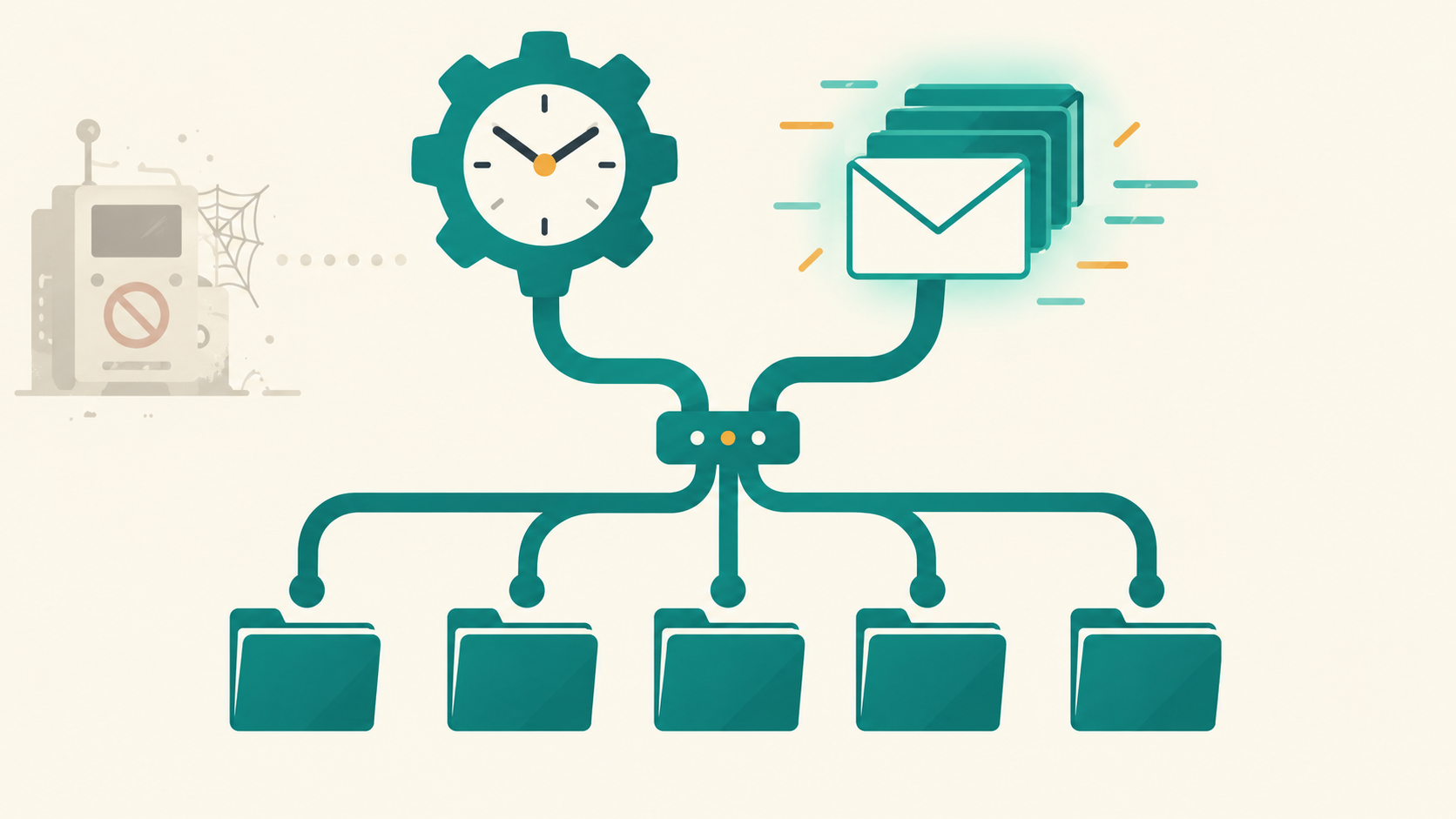
Many Pega apps still have a Standard Agent quietly chugging away in the background, sending confirmation emails or polling a staging table, written by someone who learned Pega before Queue Processors existed and never had a reason to relearn this part. Agents — both Standard and Advanced — are deprecated, and upgrades across major versions can disable or remove them outright, including the well-known pyProcessSLA cases people forget are agent-driven. The replacements are Queue Processors and Job Schedulers, and the mistake that turns up almost as often as "still on Agents" is "migrated off Agents, but picked the wrong one of the two."
This post covers the distinction that decides between them, and the pattern for decoupling a bulk data feed from the rate at which Pega can safely create cases. It follows on from the File Listener vs API vs Kafka comparison: that post is about how records get into Pega, this one is about what happens next.
Async work is an event-or-clock decision
The split that matters day to day isn't "old versus new", it's event-driven versus time-driven. A Queue Processor exists because something happened: a case advanced, a record landed on a queue, an integration call needs to run asynchronously. A Job Scheduler exists because a clock struck a certain time: a nightly reconciliation, an hourly poll of a legacy table. Pega gives you the trigger in both cases, but what you get around the trigger differs a lot.
Here is the summary table. Treat it as a starting point rather than a ranking: the right choice depends on what actually kicks the work off, how failures should be handled, and what your Pega version supports.
| Primitive | Trigger | Failure handling | Status |
|---|---|---|---|
| Standard Agent | Polling loop on an interval | Manual — you build your own retry and error logic | Deprecated, replaced by Queue Processors |
| Advanced Agent | Polling loop on an interval, more configuration surface | Manual | Deprecated, replaced by Job Schedulers |
| Queue Processor | An item landing on a queue | Built-in retry and exception handling | Current, event-driven |
| Job Scheduler | Fixed time or recurring schedule | You still build your own failure handling | Current, time-driven |
The built-in retry and exception handling is the single biggest reason to prefer a Queue Processor over hand-rolling that logic. A Job Scheduler gives you the scheduling, but the failure handling is still on you, exactly as it was with an Advanced Agent.
Framed this way, "Queue Processor or Job Scheduler?" stops being a coin flip: ask whether the thing that should start the work is an event or a time. If your honest answer is "both, sort of" — which is common with bulk feeds — that usually means you need one of each, wired together.
The pattern: decoupling intake rate from case-creation rate
This comes up constantly with bulk feeds. Whatever gets the raw data into Pega — a File Listener run, an API call, a Kafka Data Flow — can land records faster than it is safe to create cases from them, especially once you factor in contention on case creation itself. Rather than let intake pressure turn directly into case-creation pressure, put a staging table in between.
Diagram: the staging table absorbs intake spikes; the Queue Processor's thread count, not the feed, sets the case-creation rate.
In plain steps, the flow is:
1. File Listener / API / Kafka Data Flow
      -> writes raw rows into a staging table (status = 'PENDING')

2. Job Scheduler (e.g. every 60 seconds)
      -> selects a batch of PENDING rows
      -> marks them 'QUEUED'
      -> adds one queue item per row (Add-To-Queue)

3. Queue Processor (N threads, tuned per node)
      -> consumes queue items
      -> creates the case
      -> marks the staging row 'DONE' or 'FAILED' with an error reason
Nothing about intake changes: the File Listener or Kafka Data Flow runs as fast as it always did. What changes is that case creation now happens at a rate the Queue Processor's thread count controls. If the feed spikes, the staging table absorbs it as rows sitting in PENDING, rather than as a burst of cases fighting over the same locks. This is a design pattern, not a built-in Pega feature, so the status columns, batch size and schedule interval are all yours to design and tune.
Tuning the Queue Processor
The thread count isn't a global dial. It is configured per node, so your throughput ceiling is roughly threads per node × number of nodes running that Queue Processor. How that is configured differs between Pega versions and deployments, so check the documentation for yours. A few things worth checking on any inherited Queue Processor:
- Which node types actually run it. If a Queue Processor isn't explicitly restricted to background nodes, it can compete for threads with the nodes serving interactive UI traffic, which is exactly how a bulk backfill ends up slowing everyone's casework at the same time.
- Thread count versus downstream contention. More threads help only until the real bottleneck sits downstream of the Queue Processor: a unique-ID generation table, a database lock, a rate-limited external system. Past that point you are just adding workers to a queue that is stuck behind the same lock.
- Retry behaviour on the queue item, not just the activity. The built-in retry is a feature, but decide explicitly how many attempts and what backoff happen before an item is routed to a failure path instead of being retried indefinitely.
Where a Job Scheduler is the right call on its own
Not every background job needs the staging-table pattern. It earns its complexity specifically when intake rate and processing rate must be decoupled. A Job Scheduler by itself is still the right tool for work that is genuinely "run this on a clock": a nightly reconciliation report, an hourly poll of a legacy mainframe table with no event model at all, a weekly archival sweep.
Reaching for a Queue Processor there just because it's the modern option adds an eventing layer around work that was never event-shaped. The flip side is just as common: a Job Scheduler that polls for "anything new" and then processes every item in one long run is quietly rebuilding a Queue Processor without the retries.
Migrating off Agents
If you've inherited Standard or Advanced Agents, don't treat the migration as a drop-in rename. Before you touch anything:
- Find out what is load-bearing. Confirm which version deprecates your specific agents; out-of-the-box ones such as
pyProcessSLAhave their own migration notes, and some are disabled automatically on upgrade, which is a bad way to discover one mattered. - Decide event or clock for each agent individually. A single legacy Agent doing "poll every five minutes, then process whatever's new" is often secretly two jobs: a Job Scheduler for the poll and a Queue Processor for the per-item work.
- Don't assume the old polling interval is still the right cadence. Agents predate a lot of today's eventing options. A polling Agent can often be replaced by a Queue Processor fed directly by whatever produces the work, which removes the polling delay altogether.
- Plan the cutover. Running the old Agent and the new Queue Processor side by side means the same record can be picked up twice, so decide which one owns the work before you enable the other.
Production considerations: beyond choosing the primitive
Picking between a Queue Processor and a Job Scheduler is the easy part. The things that take the time are the ones below, and they apply whichever you choose.
- Idempotency. Queue items can be retried, and a Job Scheduler can overlap with itself if a run takes longer than its interval. Give each staging row a stable identifier and make case creation check it, so a retry doesn't create a second case. Two workers handling the same identifier at once need something enforcing uniqueness, such as a unique constraint or a lock, not just a read-then-write check.
- Failure isolation. Decide up front whether one failed row blocks the batch or is set aside for correction. Isolation is almost always what the business wants, and it has to be built; the
FAILEDstatus with an error reason in the pattern above exists for this reason. - Stuck rows. A row marked
QUEUEDwhose queue item was lost or abandoned will sit there forever unless something looks for it. A periodic sweep that returns oldQUEUEDrows toPENDINGis cheap insurance. - Reconciliation. Track rows received, queued, done, failed and still pending, and define how a discrepancy is investigated. A staging table makes this much easier than it is with a bare Queue Processor.
- Monitoring. Watch queue depth, processing and error rates, the age of the oldest
PENDINGrow, and database pressure. The age of the oldest row is the earliest sign that case creation isn't keeping up with intake. - Retention. A staging table grows forever if nobody prunes it. Decide how long
DONErows are kept, and archive or purge on a schedule, which is itself a good job for a Job Scheduler.
A decision framework, not a rule of thumb
Before choosing, answer these questions about the work, in this order:
- Is the trigger an event or a clock? Something happening points at a Queue Processor; a time of day points at a Job Scheduler.
- Does each item need its own retry and failure path? If yes, that is the strongest argument for a Queue Processor, because you get that behaviour built in.
- Does the source have an event model at all? A legacy table that can only be polled leaves you with a Job Scheduler for the poll, however modern the rest of the design is.
- Can intake outrun safe case creation? If so, you need the staging table with both primitives, so the rate of one doesn't dictate the rate of the other.
Only after those do thread counts and node types come into it. The table near the top is a place to start; it is not a ranking.
Lessons learned
- Ask "event or clock" first. It decides Queue Processor versus Job Scheduler faster than any feature comparison.
- For a bulk feed, one primitive is usually not enough. A staging table, a Job Scheduler and a Queue Processor together decouple intake rate from case-creation rate; a Queue Processor alone does not.
- Thread count only helps up to the real bottleneck. Find out what that is before tuning it up.
- Restrict batch-oriented Queue Processors to background nodes explicitly so a bulk job doesn't quietly compete with interactive traffic.
- A legacy Agent is often two jobs wearing one coat. Pull the polling apart from the per-item work before deciding what replaces it.
- Build for failure from the start. Stable identifiers, bounded retries, isolated failures and a sweep for stuck rows matter more than which primitive you picked, and are far harder to bolt on afterwards.